
Luarida1.86 - Google Play
You'll be able to see results in few seconds.
Publisher Description
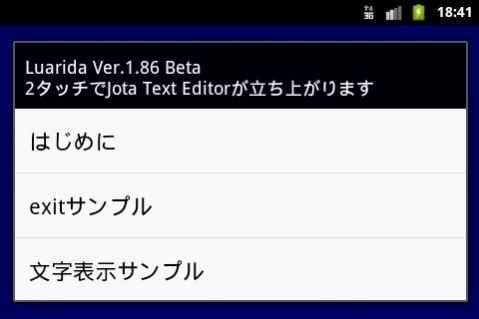


Luarida is a scripting language for programming on Android alone. You can also use as Pocket Computer.
Ruarida (Luarida) is a script that runs on Android (Script).
It was implemented Script want to set a simple program as Pocket Computer in the smartphone.
Language is Lua. You can easily write a program as BASIC. I think there is a bug, please a lot of opinions.
If there is already luarida folder on the SD card, sample files are not installed. You can copy and paste from the Web site, you must rename the folder. Even during the public in various market sample.
Self-made program can be placed in the home as a shortcut.
So as to be able to exchange information among users, it has launched a group called "Luarida Fun Club". You can go to a group from the following URL.
https://groups.google.com/forum/#!forum/luarida-fun-club
SmartWatch for the program of Sony also released you can write, but to run, you must have the SmartWatch application "Bitmap catcher".
--- Luarida Command List ---
(1) Input Command
editsetText (text)
editText (title [, flag])
touch ([mode])
inkey ([mode])
(2) System Command
system.exit ()
system.expCall (classname [, data, type])
system.getAppPath ()
system.getCardMnt ()
system.getSec ()
system.impCallActionSend (text [, type])
system.impCallActionView (text, type)
system.setrun (Luafilename)
system.setScreen (mode)
system.setSleep (off (keep) / on)
system.version ()
El_Psy_Congroo ()
(3) Graphic Command
canvas.drawCircle (x, y, r, color [, fill])
canvas.drawCls ([colorcode])
canvas.drawLine (x0, y0, x1, y1, colorcode)
canvas.drawRect (x0, y0, x1, y1, colorcode [, fill])
canvas.getBmpSize (filename)
canvas.getColor (x, y)
canvas.getg (gx0, gy0, gx1, gy1, wx0, wy0, wx1, wy1)
canvas.getviewSize ()
canvas.loadBmp (filename, x0, y0, x1, y1 [, n])
canvas.putCircle (x, y, r, colorcode [, fill])
canvas.putCls ([colorcode])
canvas.putflush ([x0, y0, x1, y1])
canvas.putg (gx0, gy0, gx1, gy1, wx0, wy0, wx1, wy1)
canvas.putLine (x0, y0, x1, y1, colorcode)
canvas.putRect (x0, y0, x1, y1, colorcode [, fill])
canvas.putrotg (cx, cy, angle, wx0, wy0, wx1, wy1)
canvas.putWork (xs0, ys0, xs1, ys1, xd0, yd0, xd1, yd1)
canvas.saveBmp (filename, x0, y0, x1, y1)
canvas.setMainBmp (Width, Height)
canvas.setWorkBmp (Width, Height)
canvas.workCls ([colorcode])
canvas.workflush (x0, y0, x1, y1)
color (r, g, b [, Alpha])
(4) Text Command
canvas.drawText (text, x, y, size, colorcode [, backcolorcode])
canvas.drawTextBox (text, x, y, size, colorcode, wide [, backcolorcode])
canvas.drawTextCenter (text, x, y, size, colorcode [, backcolorcode])
canvas.drawTextRotate (text, x, y, angle, size, colorcode [, backcolorcode])
canvas.putText (text, x, y, size, colorcode [, backcolorcode])
canvas.putTextBox (text, x, y, size, color, wide [, backcolorcode])
canvas.putTextCenter (text, x, y, size, colorcode [, backcolorcode])
canvas.putTextRotate (text, x, y, angle, size, colorcode [, backcolorcode])
(5) Http Command
http.addHeader (headername, data)
http.addParam (post-parameter)
http.clrHeader ()
http.clrParam ()
http.get (url, savefilename)
http.post (url)
http.setContentType (content-type)
http.setPostFile (post-filename)
http.status ()
(6) Dialog Command
dialog (title, text [, button])
item.add (text [, flag])
item.check (title)
item.clear ()
item.list (title)
item.radio (title, position)
toast (text [, time])
(7) Sensor Command
sensor.getAccel ()
sensor.setdevAccel (sw)
sensor.setdevMagnet (sw)
sensor.setdevOrient (sw)
sensor.getGdirection ()
sensor.getMagnet ()
sensor.getOrient ()
(8) Sound Command
sound.beep ([hz [, ms]])
sound.isPlay (soundnumber)
sound.pause (soundnumber)
sound.restart (soundnumber)
sound.setSoundFile (filename, soundnumber, flag)
sound.start (soundnumber [, loop])
sound.stop (soundnumber)
(9) ZIP Command
zip.addFile (compressed-filename [, melt-folder])
zip.exec (zipfilename)
zip.status ()
(10) socket Command
sock.close (Number)
sock.connectOpen (Number, Address, Port [, TimeOut])
sock.getAddress (Number [, Local])
sock.listenOpen (Number, Port [, TimeOut])
sock.nclose (Number)
sock.nconnectOpen (Number, Address, Port [, TimeOut])
sock.ngetAddress (Number [, Local])
sock.nlistenOpen (Number, Port [, TimeOut])
sock.nrecv (Number [, TimeOut])
sock.nsend (Number, Data, Length)
sock.recv (Number [, TimeOut])
sock.send (Number, Data, Length)
Since the number of characters in the description was over, the rest of the command please refer to the commentary blog.
http://d.hatena.ne.jp/tarosay/20110217/1297957894
About Luarida
The company that develops Luarida is たろサ. The latest version released by its developer is 1.86.
To install Luarida on your Android device, just click the green Continue To App button above to start the installation process. The app is listed on our website since 2012-07-02 and was downloaded 0 times. We have already checked if the download link is safe, however for your own protection we recommend that you scan the downloaded app with your antivirus. Your antivirus may detect the Luarida as malware as malware if the download link to com.momoonga.luarida is broken.
How to install Luarida on your Android device:
- Click on the Continue To App button on our website. This will redirect you to Google Play.
- Once the Luarida is shown in the Google Play listing of your Android device, you can start its download and installation. Tap on the Install button located below the search bar and to the right of the app icon.
- A pop-up window with the permissions required by Luarida will be shown. Click on Accept to continue the process.
- Luarida will be downloaded onto your device, displaying a progress. Once the download completes, the installation will start and you'll get a notification after the installation is finished.
Program Details
System requirements
Download information
Pricing
Version History
version 1.86
posted on 2012-07-02
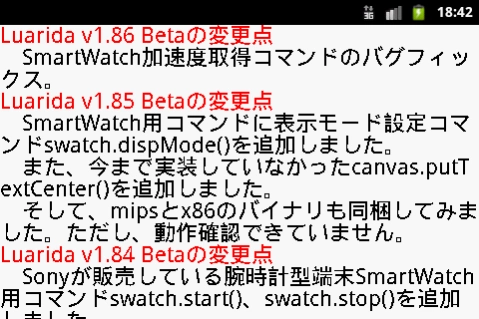
v1.86Beta,It is a bug fix of swatch.getAccel().,v1.85Beta,Display mode setting command swatch.dispMode() was added to the command for SmartWatch. Moreover, canvas.putTextCenter() that had not been mounted up to now was added.,The binary of mips and x86 was bundled. However, it is not possible to confirm the operation.,v1.84Beta,Command swatch.start() and swatch.stop() for wristwatch type terminal SmartWatch that Sony sold were added.
Disclaimer
Official Google Play Link
We do not host Luarida on our servers. We did not scan it for viruses, adware, spyware or other type of malware. This app is hosted by Google and passed their terms and conditions to be listed there. We recommend caution when installing it.
The Google Play link for Luarida is provided to you by apps112.com without any warranties, representations or guarantees of any kind, so access it at your own risk.
If you have questions regarding this particular app contact the publisher directly. For questions about the functionalities of apps112.com contact us.
